Industry
- virtual inspection
- property inspection app
- home inspection app
- building inspection software
- remote inspection
Virtual Inspection: How Remote Property Inspections Work With an iPhone
How a virtual inspection works when someone on site walks the property with an iPhone, step by step, with limits.

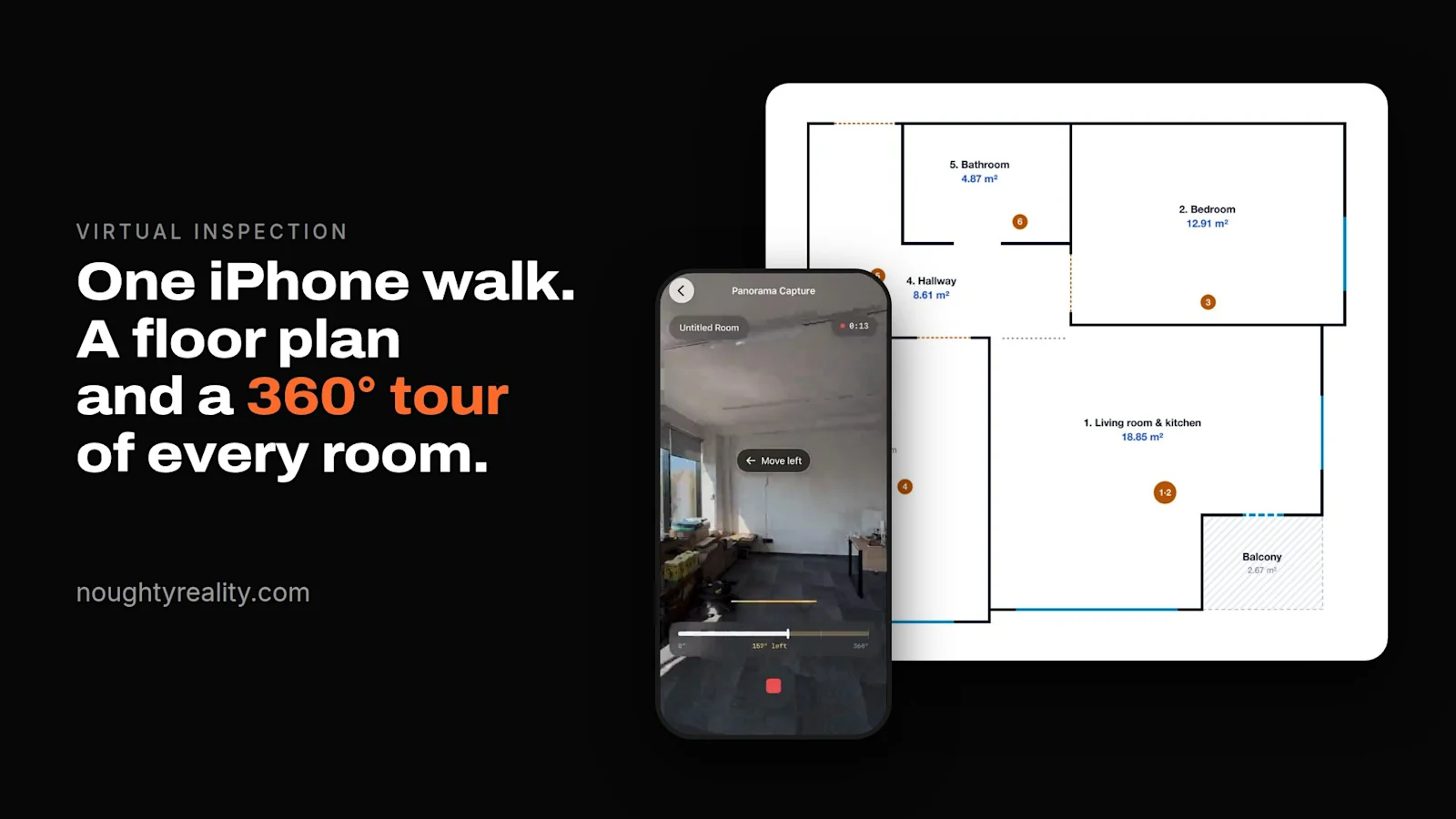
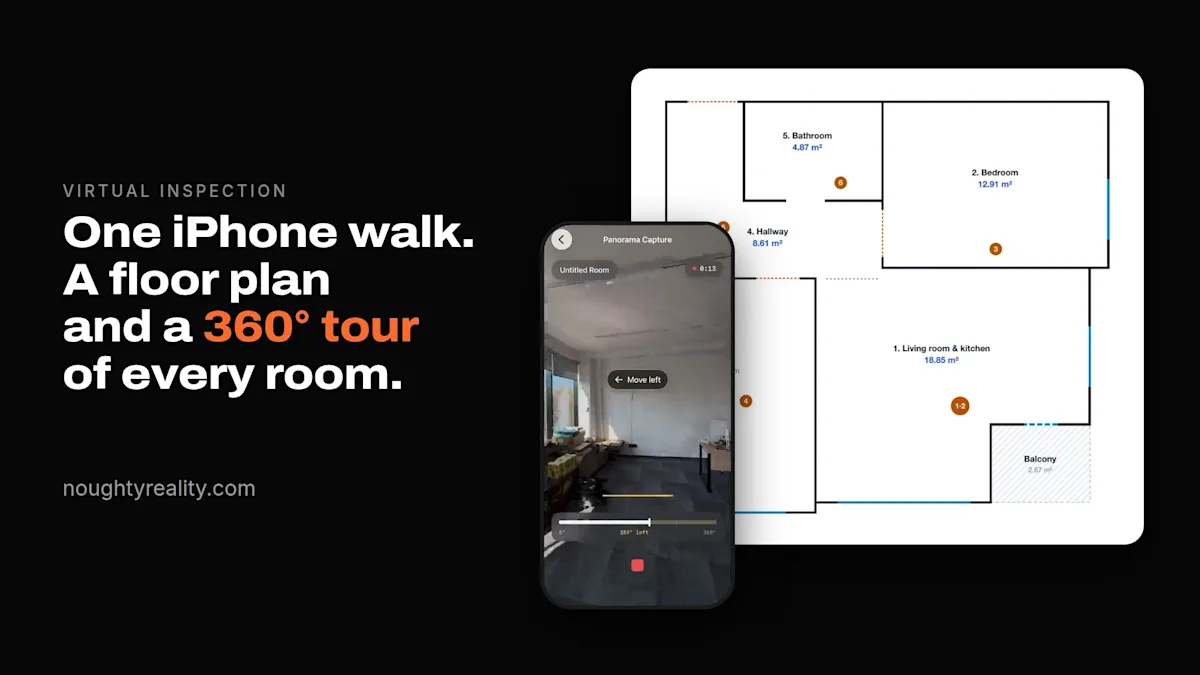
In a virtual inspection, someone on site walks the property with a phone and the inspector reviews the result from somewhere else. With an iPhone that has LiDAR, that one walk can give a measured floor plan and a 360° tour of every room. The reviewer sees the layout instead of guessing it from photos.
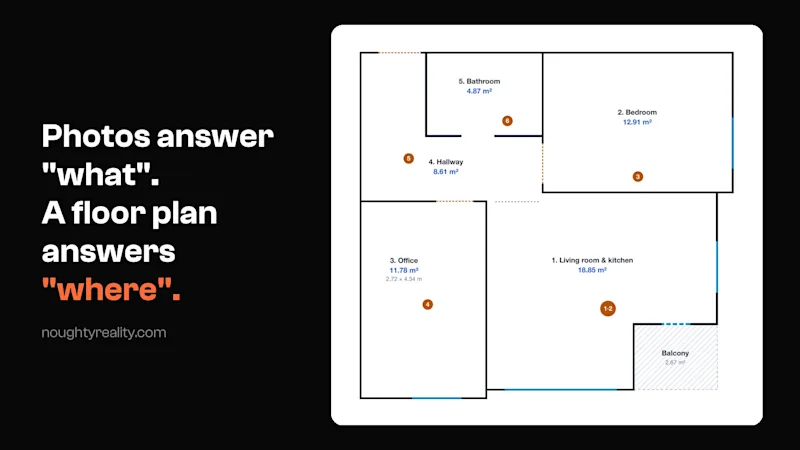
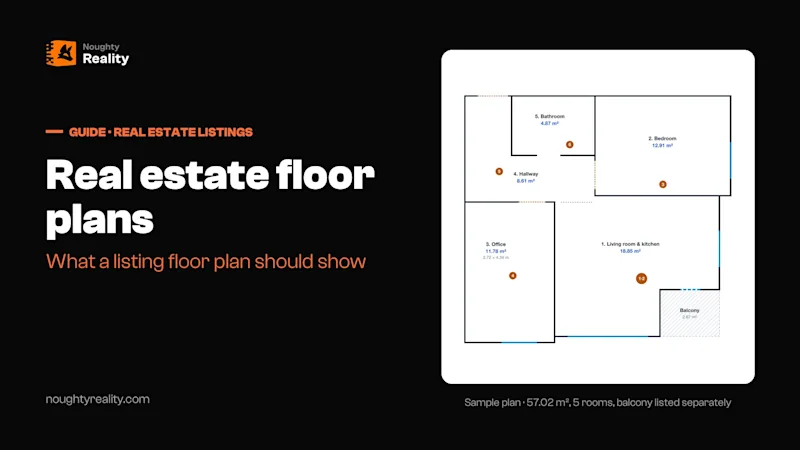
One walk through an apartment gives a floor plan with the net area of every room and a panorama in each room, placed on the plan where it was taken.
The person walking can be a tenant, an owner or a field technician. The inspector can be in another city. This article covers how that works step by step, what to ask the person on site, and where a phone-based inspection stops being enough.
What is a virtual inspection?
A virtual inspection is a property inspection where the inspector isn't on site. Someone else walks the property with a phone, and the inspector reviews the result remotely. They can do it live on a video call, or afterwards from photos, video or a capture of the rooms.
The term covers very different levels of evidence. A dozen phone photos count as a virtual inspection. So does a measured floor plan with a panorama in every room. The difference shows up when someone has to make a decision from what they received.
Where are virtual inspections used?
Virtual inspections are used wherever the drive to the property costs more than the visit is worth, or where the condition of a property has to be on file:
•Move-in and move-out. The condition of each room at handover, kept for deposit disputes.
•Insurance claims. Damage documented before repairs start, without waiting for an adjuster to visit.
•Lease and periodic checks. Property managers checking units across a portfolio.
•Pre-listing. Agents and owners recording layout and condition before a listing goes live.
•Remote follow-ups. Checking that a repair recommended in an earlier inspection was done.
What do photos and video calls miss?
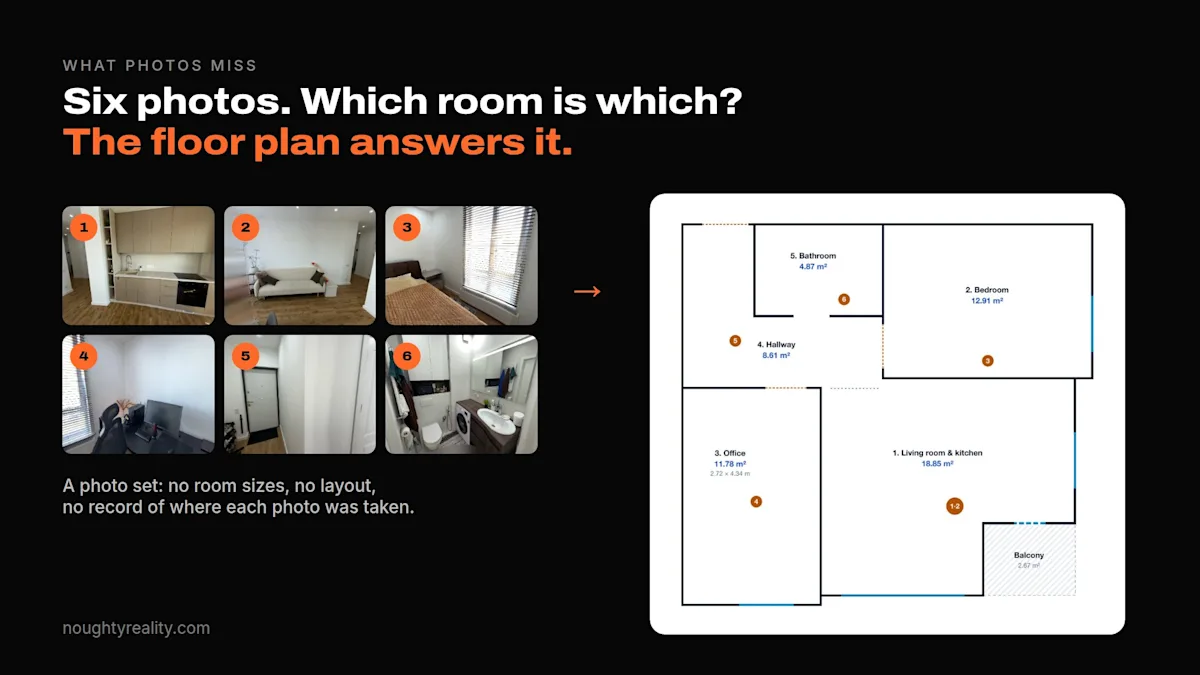
Photos and video calls show surfaces, but they lose the layout. From a photo set you can't tell how big a room is, how the rooms connect, or where a photo was taken. A video call shows the same things in motion and leaves nothing you can measure afterwards.
That gap has a cost:
•A claims adjuster pricing water damage needs the area of the room.•A property manager comparing move-in and move-out needs to know which bedroom a photo shows.
When the photos can't answer that, someone calls the tenant back or drives out. The remote inspection ends up costing a visit anyway.
How a virtual inspection works, step by step
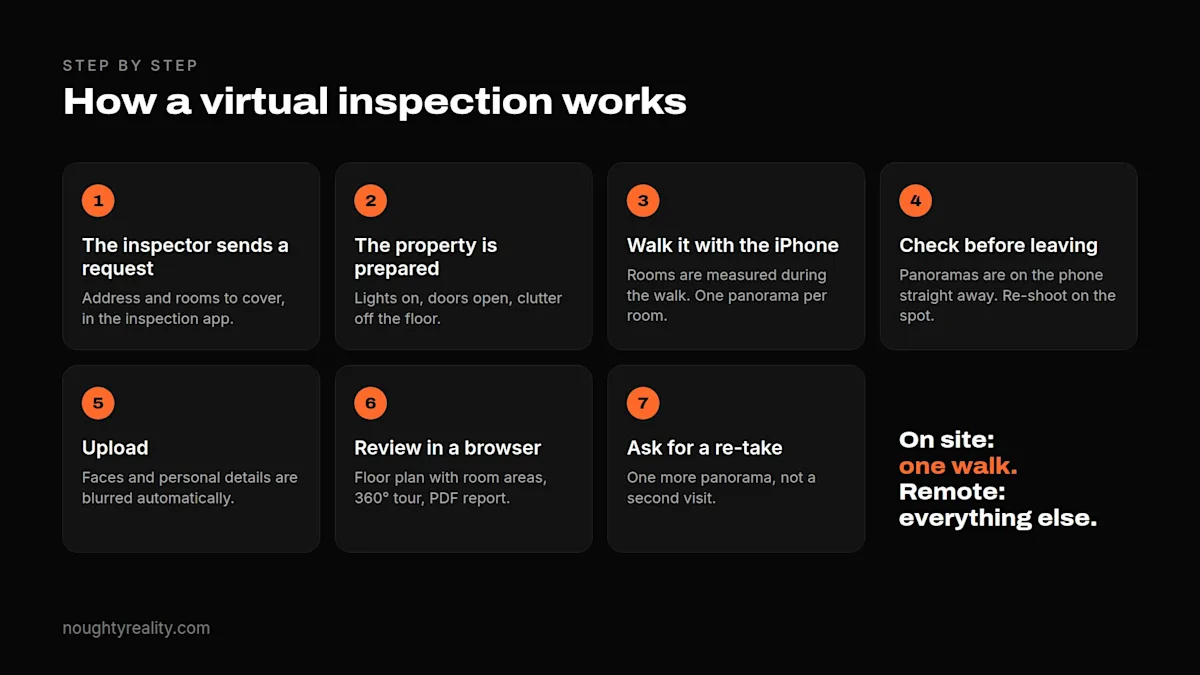
1. The inspector sends a request. The person on site gets an invitation in the inspection app, with the address and the rooms to cover.
2. The person on site prepares the property. A few minutes: lights on, doors open, clutter off the floor (the checklist is below).
3. They walk the property with the iPhone. The phone measures the rooms during the walk. In each room they stand in the middle and turn around once for the panorama, and it's stitched on the phone as they turn.
4. They check the result before they leave. They see the panoramas on the phone straight away and re-shoot any that came out wrong. A missed room is found while they're still there, not the next day.
5. They upload. Faces and personal details are blurred automatically after upload.
6. The inspector reviews it in a browser. The floor plan with room areas, the 360° tour with every panorama on the plan, and the measurement report (PDF) with a photo log.
7. The inspector asks for a re-take if needed. "Send one more panorama of the bathroom ceiling" is a quick job for the person on site, not a second visit.
What to tell the person on site
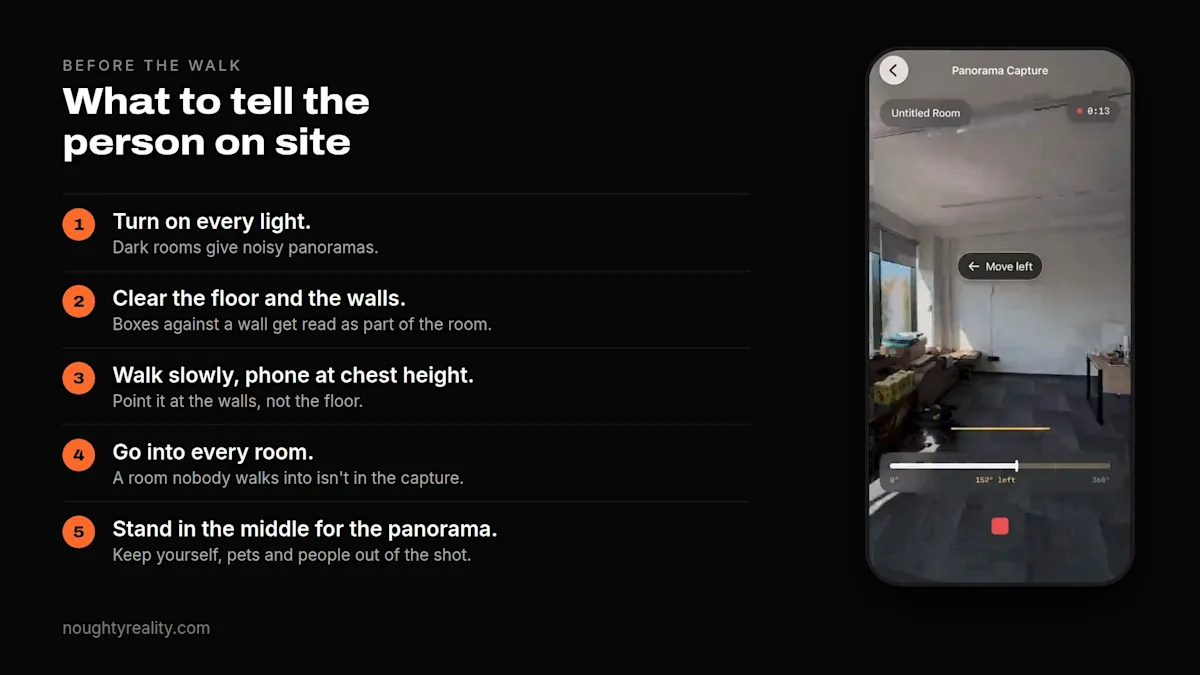
In a self-inspection, the person holding the phone isn't a professional. Five instructions make the difference between a capture you can decide from and a call-back:
•Turn on every light, including the bathroom and hallway. Dark rooms give noisy panoramas.
•Clear the floor and the walls. Boxes against a wall get read as part of the room.
•Walk slowly, phone at chest height, pointed at the walls rather than the floor.
•Go into every room, including storage rooms and small hallways. A room nobody walks into isn't in the capture.
•Stand in the middle of each room for the panorama, and keep yourself, pets and other people out of the shot.
What should a remote inspection capture include?
A capture is complete when the reviewer can answer these questions without calling anyone:
1.Is every room on the floor plan, with a name?
2.Does each room have a net area?
3.Is every photo or panorama placed in a room? 4.Are doors, windows and openings on the plan?
5.Is the capture dated?
6.Did the walk include hallways, storage rooms and other small spaces?
7.Were faces and personal details blurred before anyone outside the household sees the capture?
Questions 1 to 5 can be answered by the capture itself, and face blurring can be automatic. Question 6 depends on the person on site, which is why the instructions above matter.
How accurate are the measurements?
Within about 5% against a tape measure, with most rooms within 2%. Areas are net floor areas, measured to the scanned wall surfaces; wall thickness isn't measured.
That's enough to see the size of a room, compare it before and after, or price a flooring repair. It is not a certified measurement.
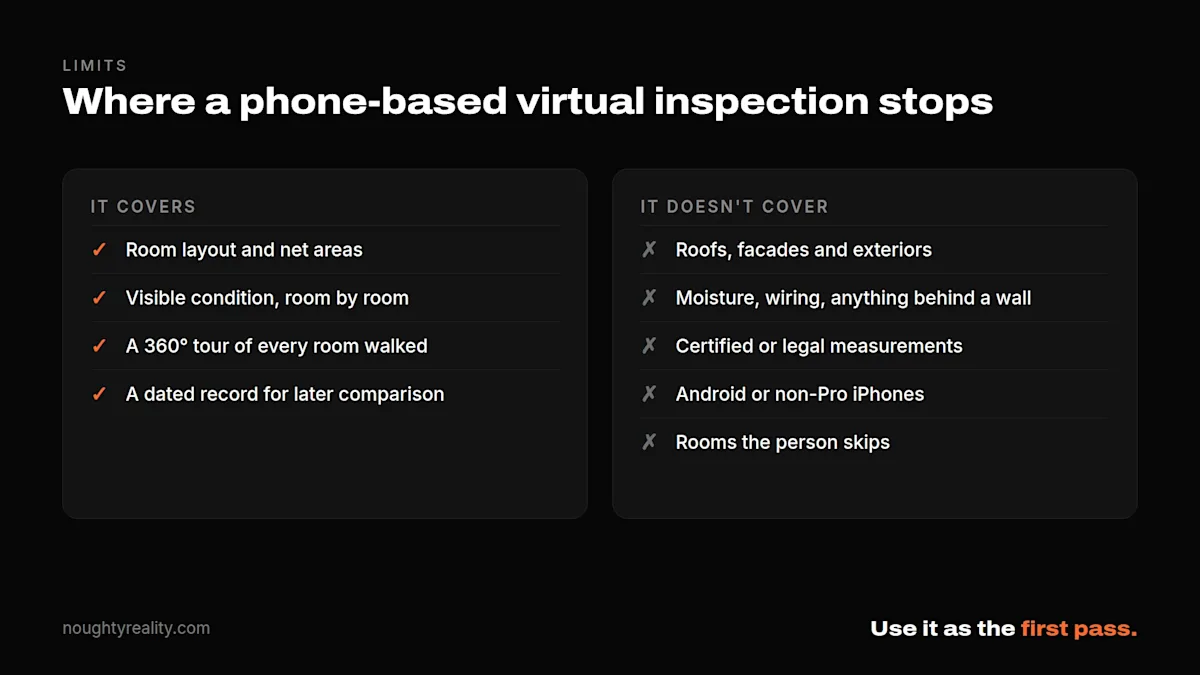
Where a phone-based virtual inspection stops
•Interiors only. The capture doesn't cover roofs, facades or the outside of the building.
•iPhone with LiDAR only: an iPhone 12 Pro or a newer Pro model. It doesn't run on Android.
•Not a certified measurement. Where a valuation or legal measurement standard applies, use a certified method.
•A camera sees surfaces. Moisture behind a wall, wiring and the roof space still need a person with the right tools.
•Skipped rooms are missing. A room the person skips isn't in the capture.
The honest way to use a virtual inspection is as the first pass: it settles most properties remotely and tells you which ones need a visit.
See it on a real 360° tour
Drag to look around, then click a point on the floor plan to move to the next room. This is what the inspector sees after one Walk through in a real apartment captured with an iPhone →